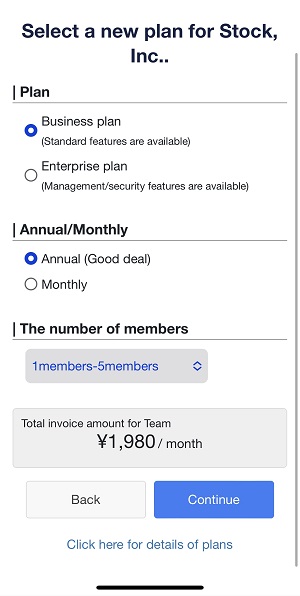
Thank you for considering signing up for a paid plan.
* Only Administrators can change plan.
<Desktop>
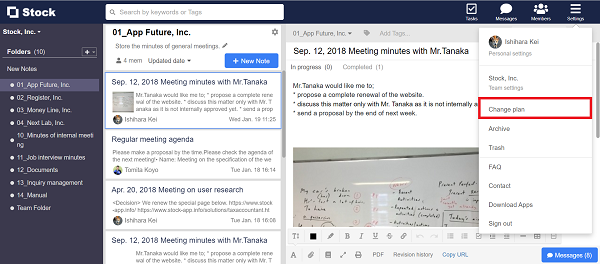
1. Click “Settings” in the upper right corner and “Change plan”.
2. Select a plan and continue to register your credit card information.
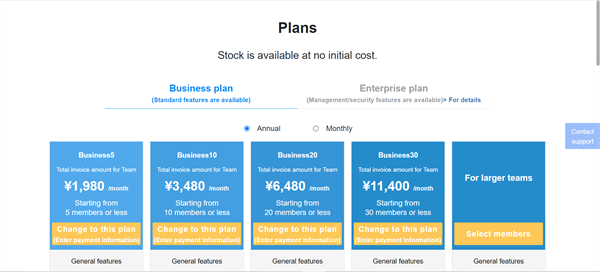
You can use the new plan immediately after your change.
<Mobile>
1. You can sign up for a paid plan from this page.
* Sign in is required.
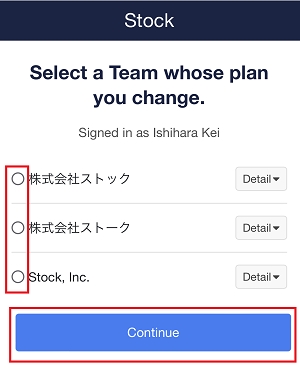
2. Select a Team whose plan you change.
3. Select a plan and continue to register your credit card information.
You can use Stock for a new plan just after you change your plan.