
You can fix an important Note at the top of All Notes area by using “Pin”.
<Desktop>
1. Click the “Pin icon” in the upper right corner of each Note.

2. Even when other Notes are updated, pinned Notes are always displayed at the top.
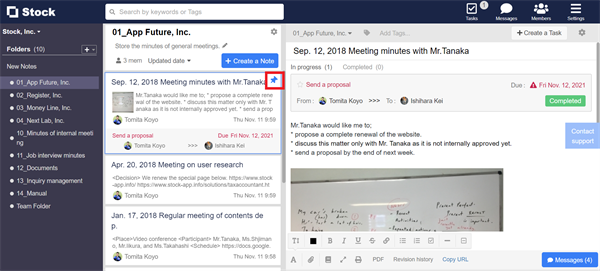
* You can change the order of pinned Notes to any order by drag and drop.
<Mobile>
1. Tap the “Pin icon” in the upper right corner of each Note.

2. Even when other Notes are updated, pinned Notes are always displayed at the top.
