How to check and edit members joining a Folder

You can check and edit members joining a Folder in the following way.


<Desktop>


1. Click the human icon on the upper of All Notes area.
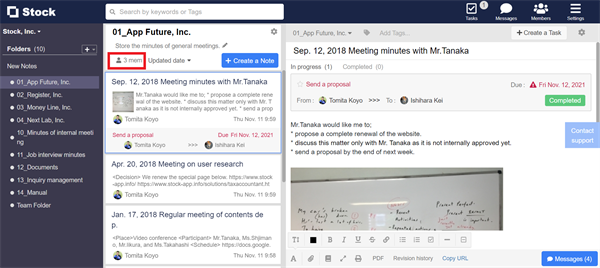

How to check and edit members joining a Folder on Stock_1

2. You can check and edit members joining the Folder.
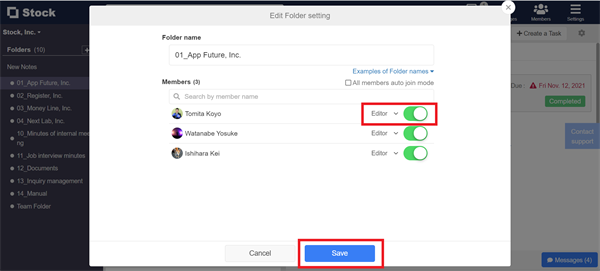

How to check and edit members joining a Folder on Stock_2


<Mobile>


1. Tap the human icon on the upper of All Notes area.


How to check and edit members joining a Folder on Stock_3

2. You can check and edit members joining the Folder.


How to check and edit members joining a Folder on Stock_4

Contact using a contact form

If you have any questions or feedback, feel free to contact us using a contact form.