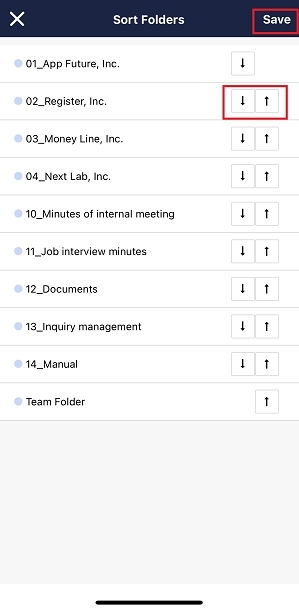
You can select “Abc order” or “In any order” as the order of Folders.
<Desktop>
1. Click “Settings” in the upper right corner and “Your name”.

2. You can select “Abc order” or “In any order” from “Other personal settings” > “How to sort Folders”.
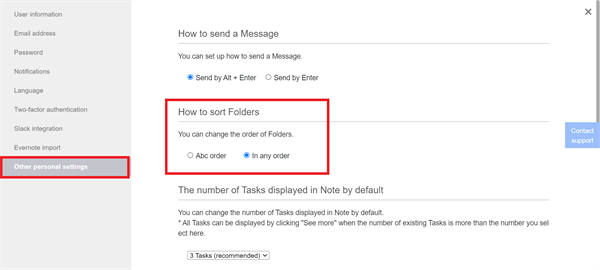
* When you select “In any order”, you can change the order of Folders by Drag & Drop.
<Mobile>
1. Tap “Settings” on footer and “Other personal settings”.

2. You can select “Abc order” or “In any order” from “How to sort Folders”.

* When you select “In any order”, you can change the order of Folders in the following way.
1. Tap “Sort” on Home.

2. Tap “↑”, “↓” and “Save”, then Folders are sorted.