
You can hierarchize Folders in the following way.
<Desktop>
1. Click “+” on the upper of All Folders area.
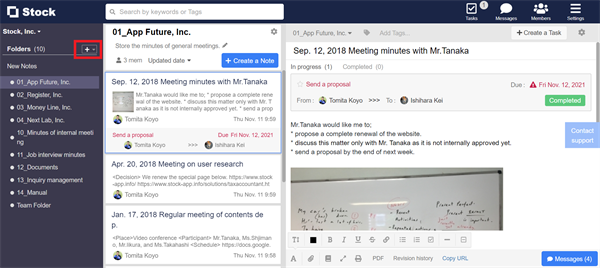
2. Click “Create a Group of Folders”.
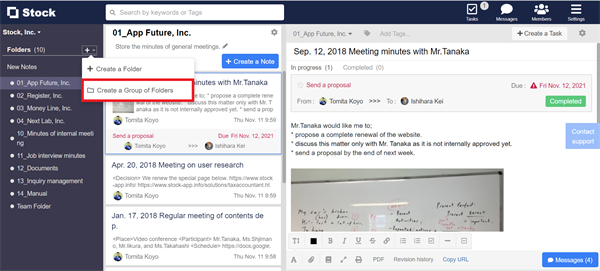
3. You can hierarchize Folders by setting Group name and which Folders to subject.

<Mobile>
Unable to hierarchize Folders on smartphone.