* This feature is available only for Enterprise plan.
* You can change the settings only with a desktop.
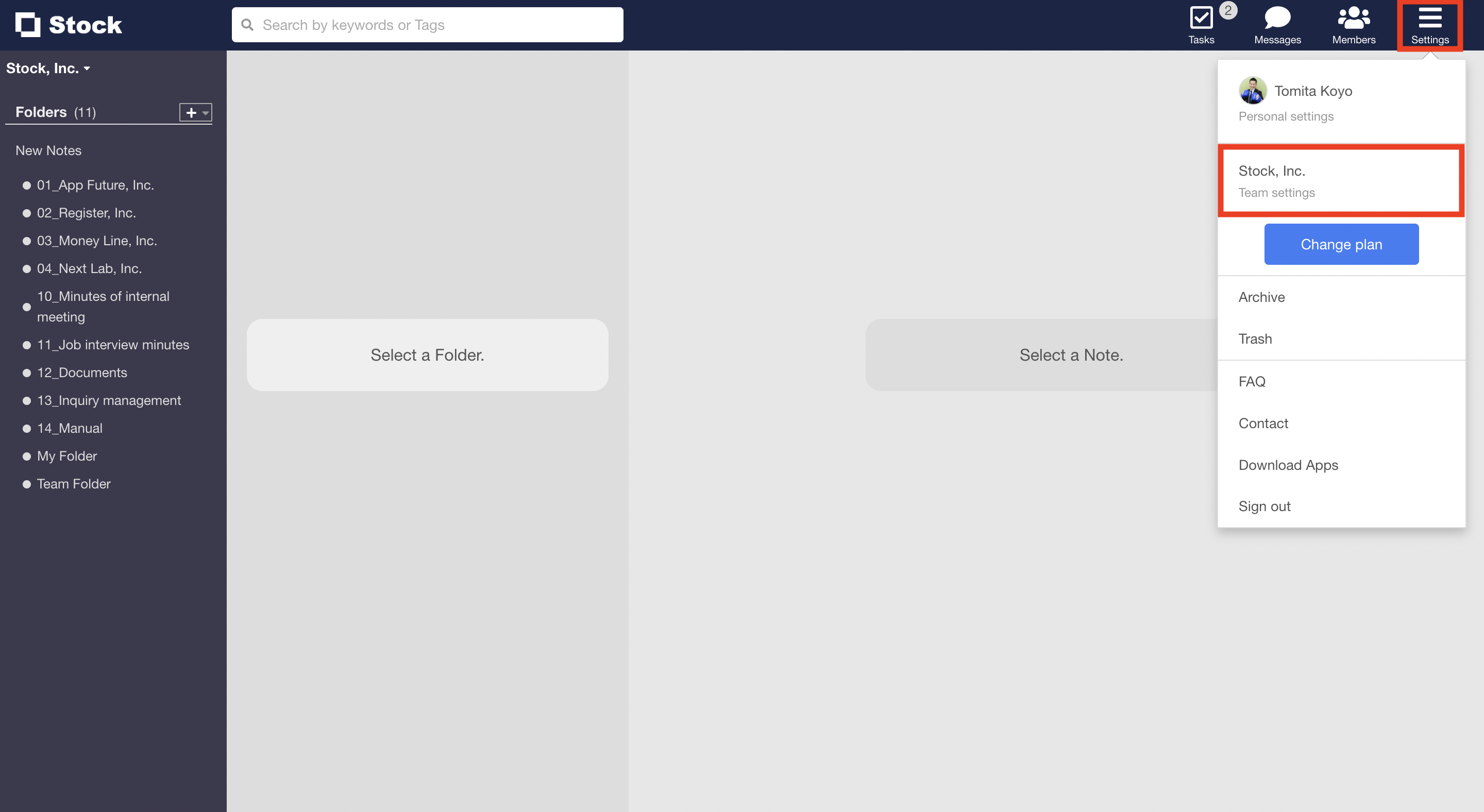
1. Click “settings” on header and ” Change Team settings”.
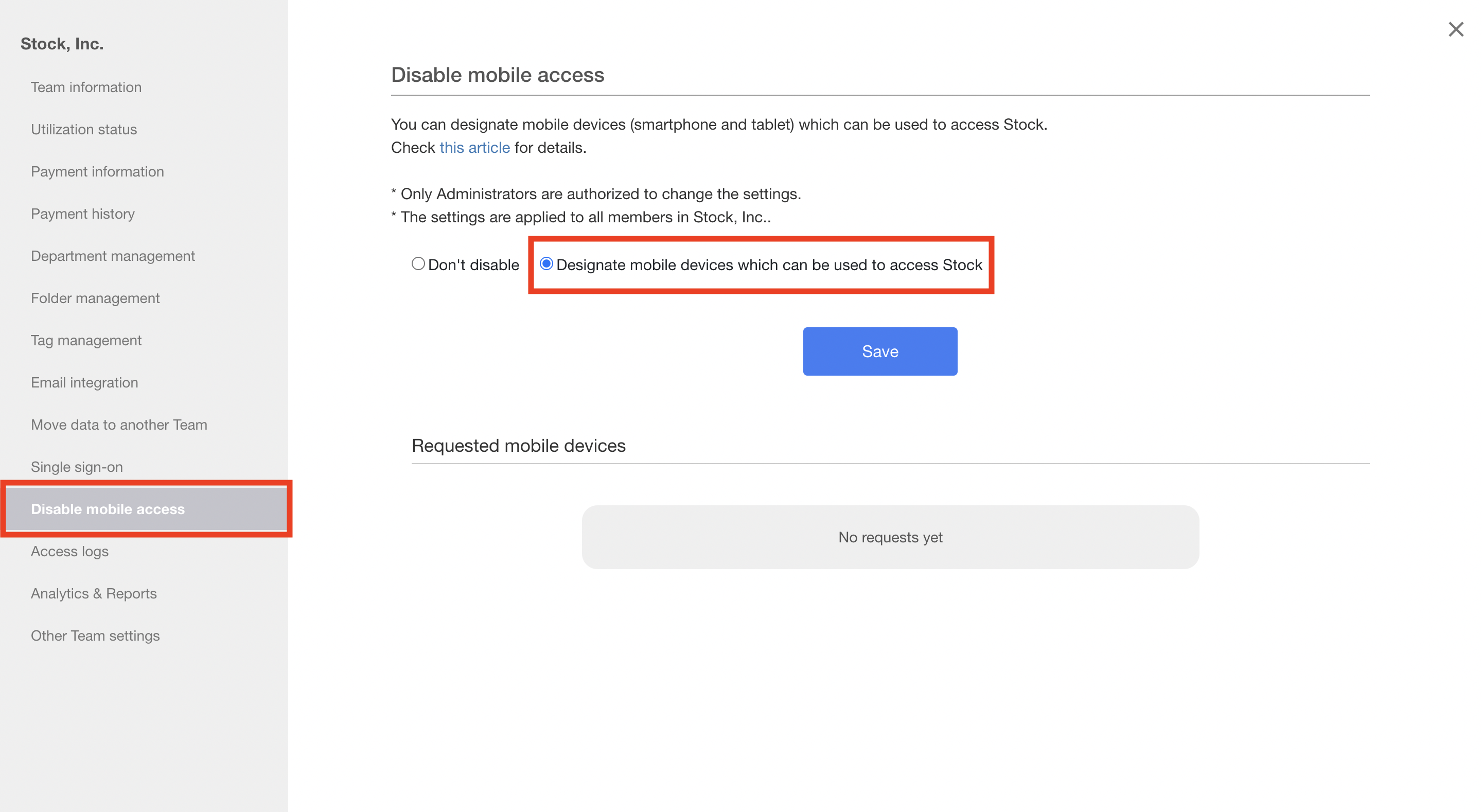
2. Click “Disable mobile access” in the menu on the left side and select “Designate mobile devices which can be used to access Stock”.
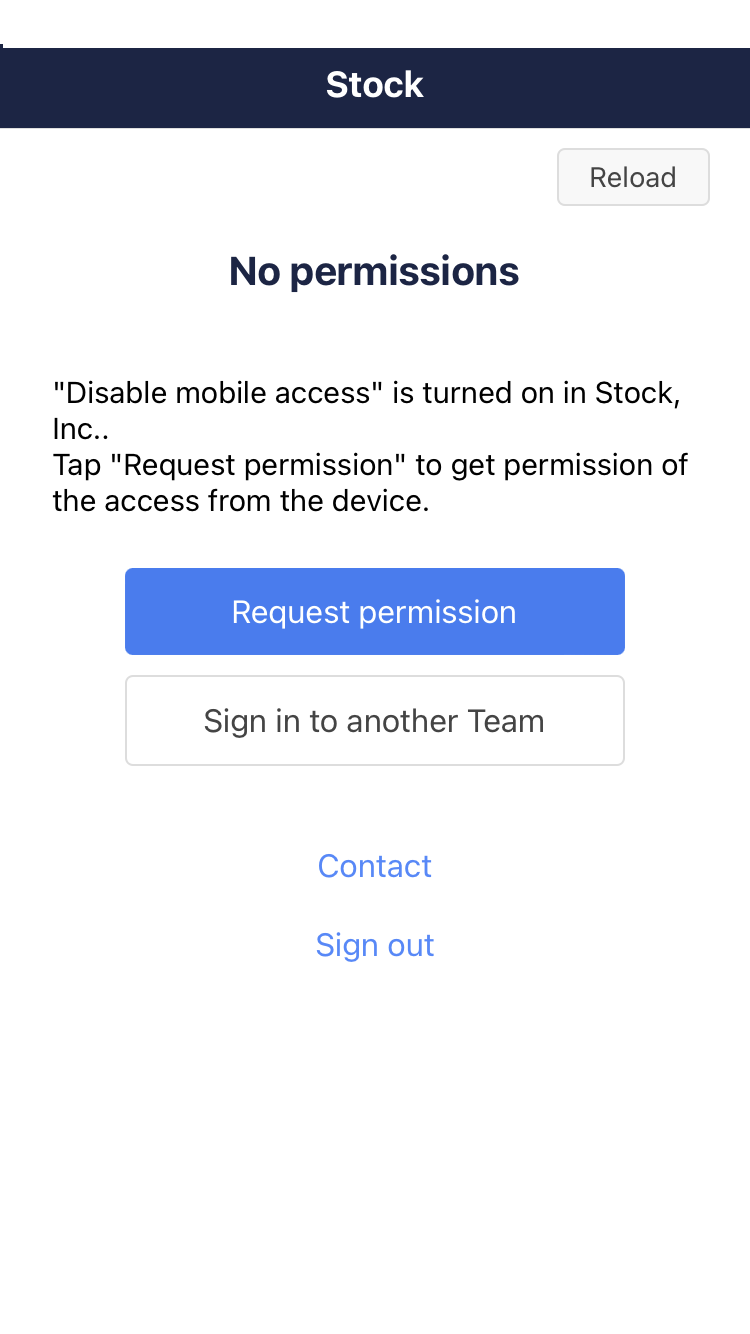
3. Tap “Request permission” on a smartphone or a tablet.
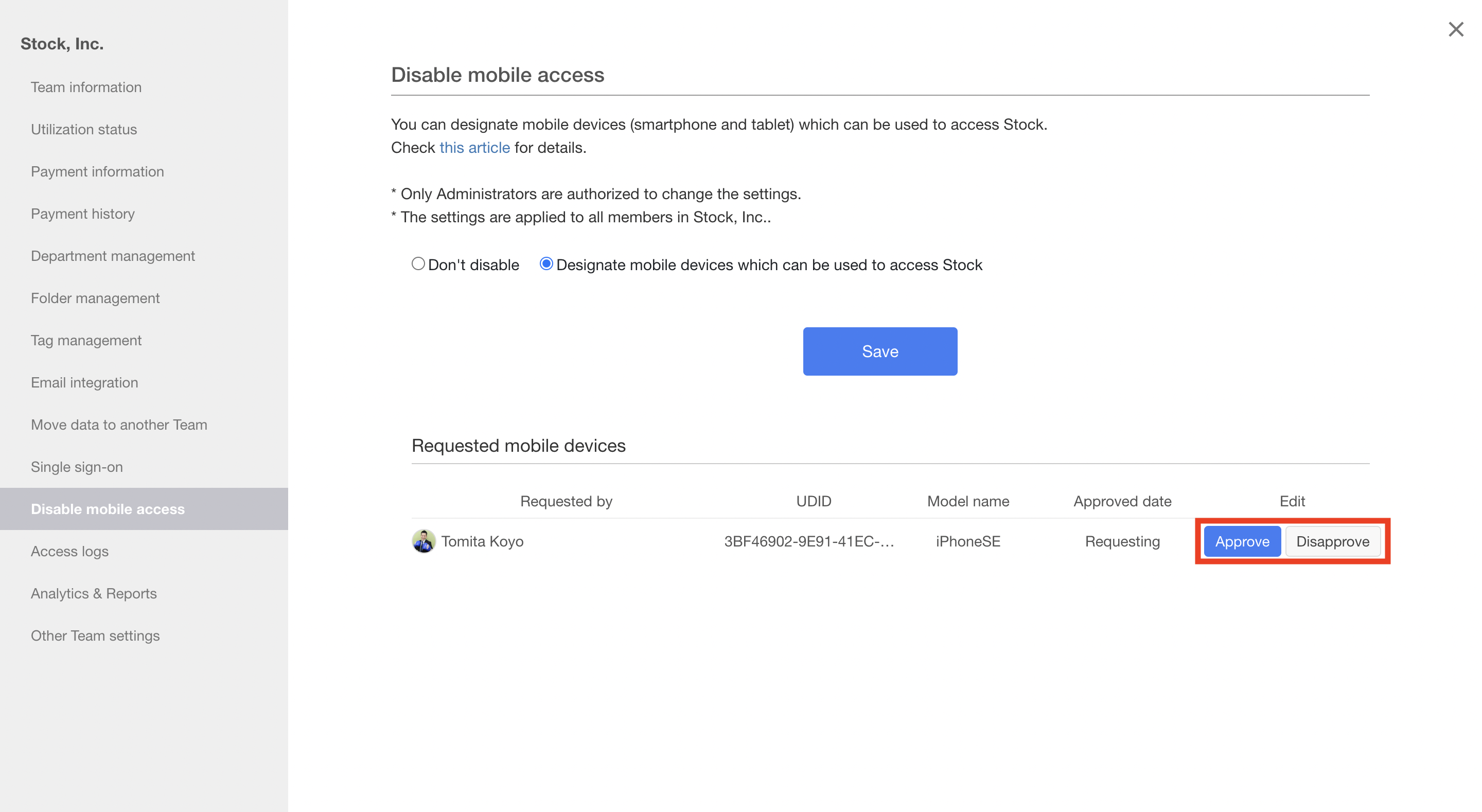
4. The member can access from the device after an Administrator click “Approve”.