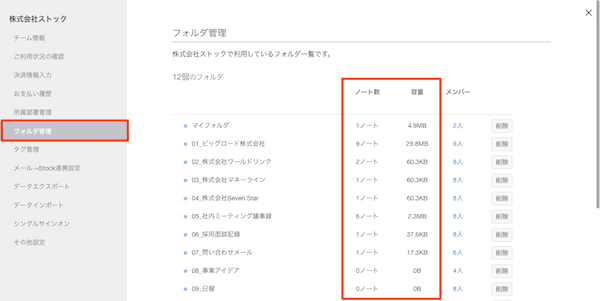
You can check “the number of Notes” and “the size of attached files” in each Folder.
* You can use this feature only from a desktop.
1. Click “Settings” on header and “Team settings”.

2. Click “Folder management” in the menu on the left side, and you can check “the number of Notes” and “the size of attached files” in each Folder