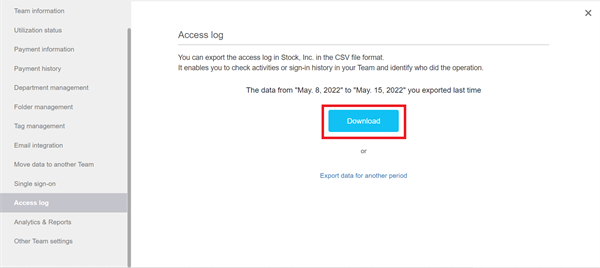
You can export access logs in the following way.
* Access logs are available only from a desktop PC.
* Note that access logs are available only with the Enterprise plan.
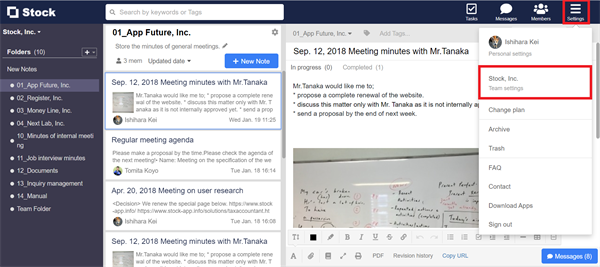
1. Click “Settings” on header and “Team settings”.
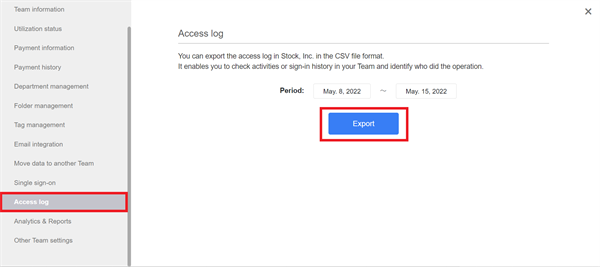
2. Click “Access log” in the menu on the left side. You can export access logs in the designated period.
3. You can download the access logs by clicking “Download” button, which is displayed when download is ready.