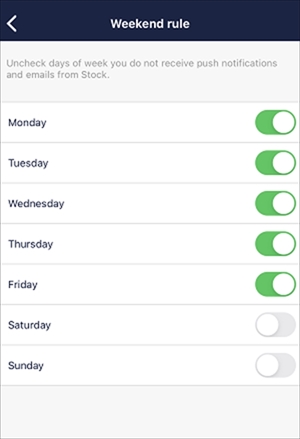
You can set not to receive notifications on the specific days of the week.
<Desktop>
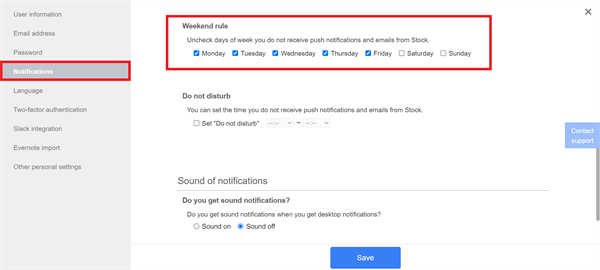
1. Click “Settings” in the upper right corner and “Your name”.

2. Click “Notifications” in the menu on the left side and uncheck days of the week not to receive notifications.
<Mobile>
1. Tap “Settings” on footer and “Notifications”.

2. Tap “Reduce notifications”.

3. Tap “Weekend rule”.

4. Uncheck days of the week not to receive notifications.