You can attach photos in the following way.
1. Tap “Attach” on header.
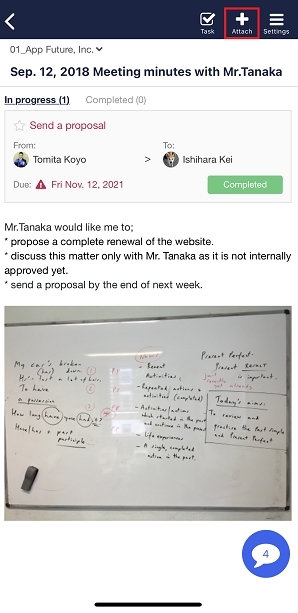
2. Tap “Select a photo/movie” on the menu.

3. Select photos and you can attach them.

You can attach photos in the following way.
1. Tap “Attach” on header.
2. Tap “Select a photo/movie” on the menu.
3. Select photos and you can attach them.
Contact using a contact form
If you have any questions or feedback, feel free to contact us using a contact form.