
You can invite team members by URL in the following way.
<Desktop>
1. Click “Members” in the upper right corner.
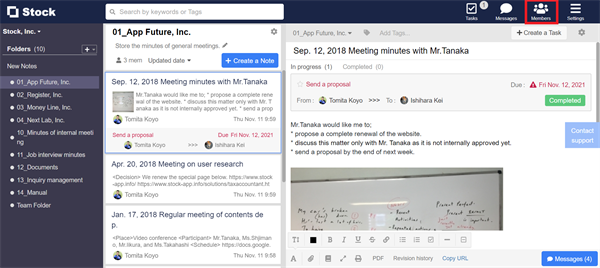
2. Click “Invite new members” on the pop-up.

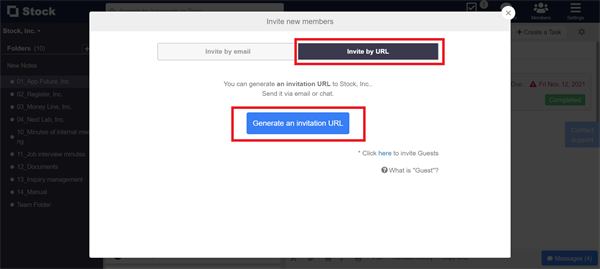
3. From “Invite by URL” tab, click “Generate an invitation URL” button and send it to the members to invite.
<Mobile>
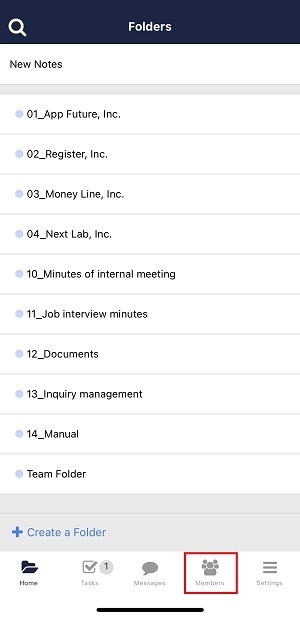
1. Tap “Members” in the upper right corner.
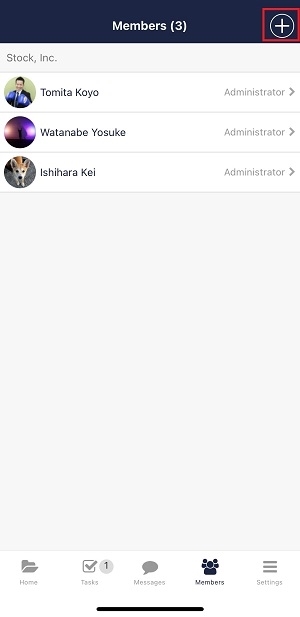
2. Tap “+” in the upper right corner.
3. From “Invite by URL” tab, tap “Generate an invitation URL” button and send it to the members to invite.
